A receipt might seem like a small detail, but it is one of the few physical items a customer takes away from your business. A plain, generic receipt is a missed opportunity. With the right POS receipt customization and branding, every transaction becomes a touchpoint that reinforces your brand, builds trust, and even drives repeat visits. SmartPOS AI gives you full control over what appears on every receipt, both printed and digital.
Why Branded Receipts Matter
Think about the last time you received a well-designed receipt. It probably included the business name and logo at the top, a clear breakdown of what you purchased, and maybe a friendly message or promotion at the bottom. That receipt told you the business cares about details. It also served as a tangible reminder of the experience, something that sticks around in a wallet or inbox long after the transaction.
Branded receipts accomplish several things simultaneously. They reinforce brand recognition, provide legal compliance with tax documentation, offer a channel for promotions, and give customers confidence that the transaction was processed correctly. For businesses that handle returns or warranties, a professional receipt also reduces friction during those interactions.
Custom Header and Footer Text
SmartPOS AI lets you configure custom text that appears at the top and bottom of every receipt. The header typically includes your business name, address, phone number, and tax identification number. The footer is more flexible. Many businesses use it for a thank-you message, return policy, WiFi password, social media handles, or a promotional offer encouraging the customer to visit again.
You can change header and footer text at any time from the backoffice settings, and updates apply to all terminals immediately. Running a weekend promotion? Update the footer on Friday morning and every receipt that prints for the next two days will advertise the deal.
Business Logo on Receipts
A logo at the top of the receipt is the simplest and most effective branding element. SmartPOS AI supports monochrome logo uploads optimized for thermal printers. Upload your logo in the receipt settings panel, adjust the width, and preview how it will look on paper. The system automatically converts your image to the correct format for thermal printing, so you do not need to worry about file types or resolution.
Tax Breakdown Display
Clear tax information on receipts is not just good practice, it is a legal requirement in most jurisdictions. SmartPOS AI displays a detailed tax breakdown on every receipt, showing the subtotal, each applicable tax rate with its amount, and the grand total. If your business applies multiple tax rates, for example a standard rate on food and a reduced rate on beverages, each rate appears on its own line. This transparency builds customer trust and simplifies bookkeeping.
Payment Details
The receipt includes the payment method used, whether cash, credit card, mobile payment, or split payment. For card transactions, SmartPOS AI prints the masked card number, authorization code, and transaction reference. This information is essential for dispute resolution and gives customers a clear record of how they paid.
Email and Digital Receipts
Paper receipts are not always convenient, and some customers prefer a digital copy. SmartPOS AI supports email receipts that are sent automatically when a customer provides their email address. Digital receipts can be richer than printed ones. They include your full-color logo, clickable links to your website and social media, and a formatted layout that looks professional on any device.
Email receipts also feed into your customer database. When a customer opts in, their email is linked to their profile, enabling you to send loyalty updates, promotional offers, and purchase summaries. It is a low-friction way to build your marketing list while providing genuine value to the customer.
Receipt Templates in Settings
SmartPOS AI provides a receipt template editor in the backoffice where you can control every aspect of the layout. Choose which fields to display, reorder sections, toggle the logo on or off, set font sizes, and preview the result before applying changes. If you operate multiple locations, each store can have its own receipt template with location-specific details while maintaining consistent branding across the chain.
Thermal Printer Configuration
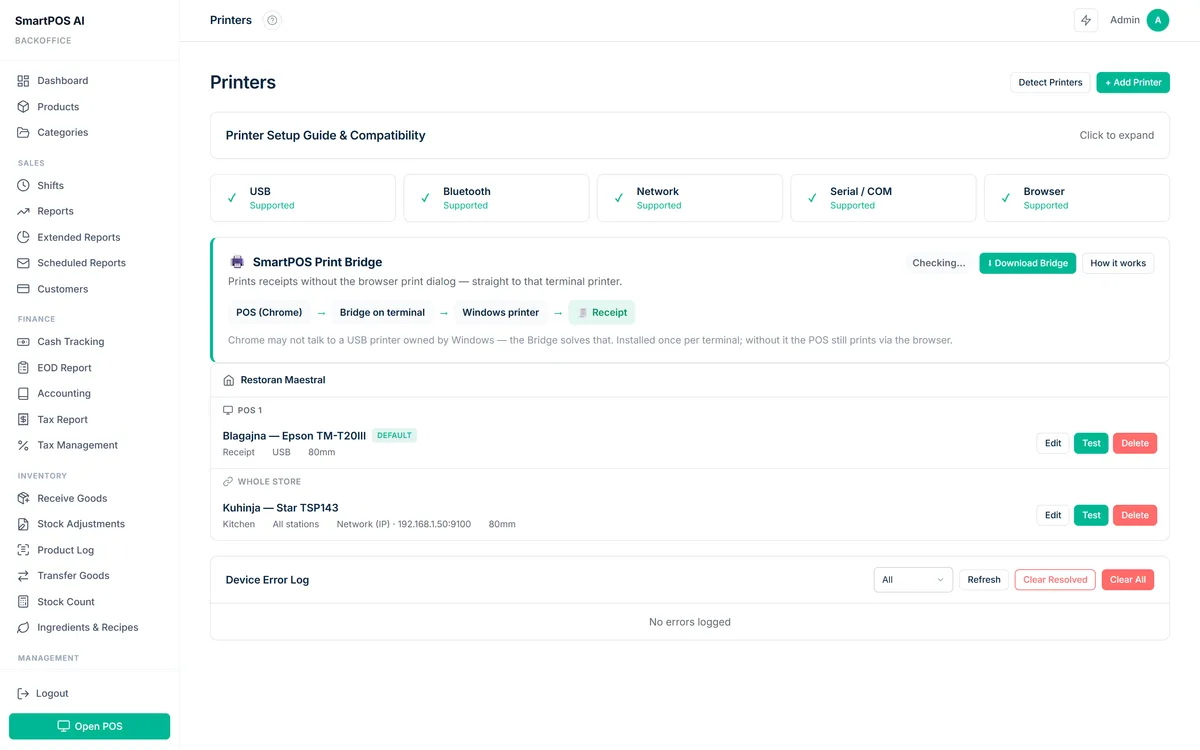
SmartPOS AI works with all standard ESC/POS-compatible thermal printers. Setup is straightforward: connect the printer via USB, Bluetooth, or network, and the system detects it automatically. You can configure paper width, for instance 58mm or 80mm rolls, print density, and the number of copies per transaction. Advanced settings let you control auto-cut behavior and cash drawer kick signals so the drawer opens automatically when a cash payment is processed.
Every receipt is a mini billboard for your brand. Make it count by including your logo, a clear layout, and a reason for the customer to return.
Best Practices for Receipt Branding
Keep the design clean and uncluttered. Lead with your logo, follow with transaction details, and close with a call to action. Rotate your footer message seasonally to keep it fresh. Use email receipts to build your customer database. And always ensure tax compliance by displaying the required information for your jurisdiction. For inspiration, see how cafes use branded receipts to reinforce their identity in our POS system for cafes guide. Consistent receipt branding also plays a key role in repeat business -- learn more in our article on increasing customer retention with your POS. With SmartPOS AI, all of these elements are configurable in minutes, no design skills required.